Entering Calculation Parameters
In Business Central, parameters for calculation enable customization of the calculation processes. The following details explain the parameters necessary for accurate implementation of payroll calculations. Select the group for which you are performing the calculation.
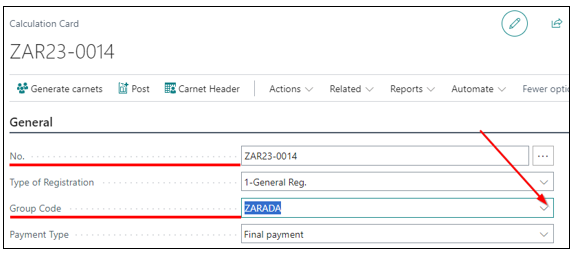
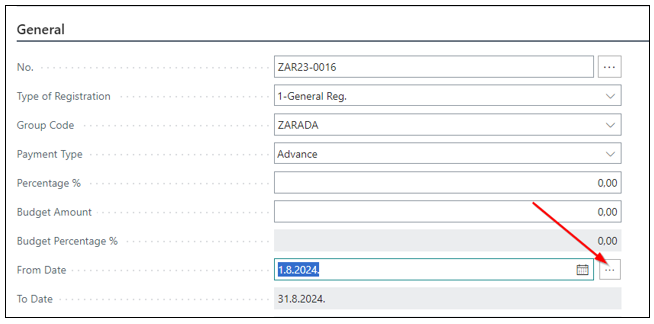
By selecting the period, the system automatically populates the fields:
- From Date
- To Date
- Description
- Calculation Status
- Calculation Date
- Payment Date
- Posting Date (the date will be automatically updated when posting is initiated)
- Minimum and Maximum Contribution Bases
- Possible Hours Fund
- Work Price
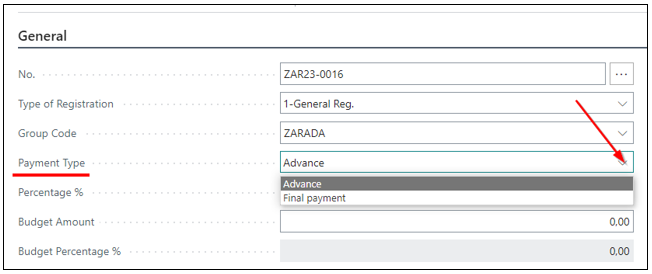
Payment Type
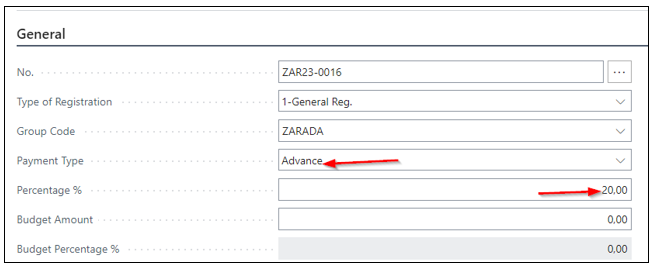
On the calculation card, select the Payment Type: whether it is a final payment (i.e., 100% of the monthly salary) or an advance payment in any percentage from 0% to 100%. In the case of an advance payment, it is necessary to enter the percentage in the Percentage % field.
In the percentage section, enter the advance payment percentage, as shown in the image.
Need more help?