Human Resource Management
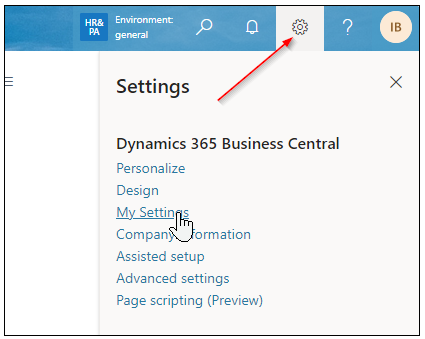
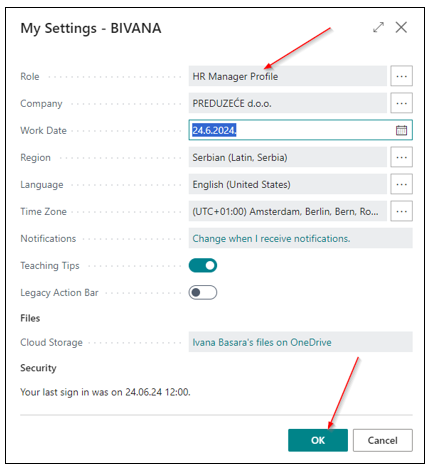
When you log in to BC, simply click on the HR Manager Profile after accessing My Settings in the top right corner of the screen. From there, clicking on the three dots will open the role selection page.
HR Role Center
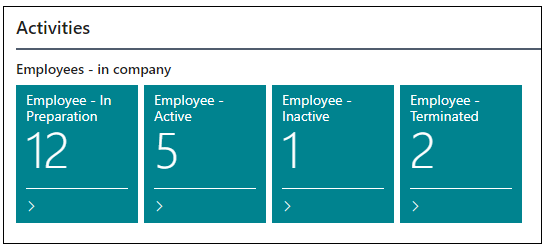
The Home Page of the Role Center consists of the Activities section which contains filtered groups of employees grouped on the basis of engagement (Employment based on Employment Contract and Engagement based on Outside Employment) and by status (In Preparation, Active, Inactive, Terminated).
Clicking on the Employee List in the menu opens a list of active employees.
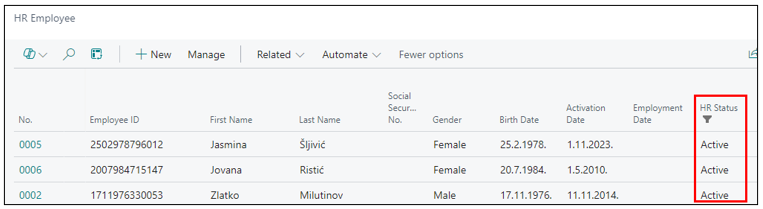
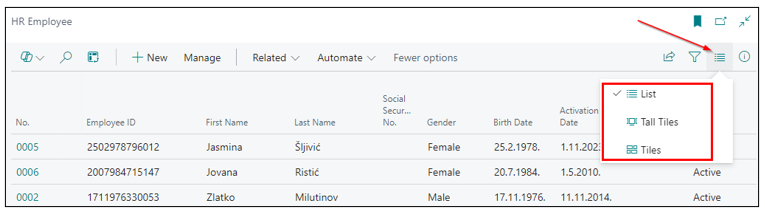
On the List itself, you can change the appearance of the employee cards by clicking on the List Arrangement icon.
List arrangement options:
- List
- Tall Tiles
- Tiles
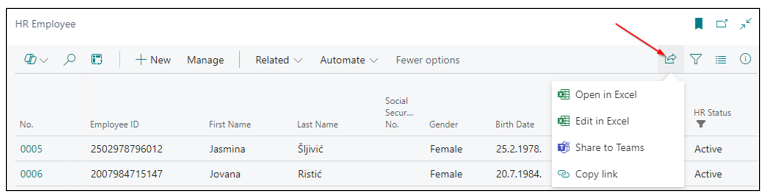
The Employee List can be exported to Excel by clicking the Open in Excel icon.
Need more help?