Calculation Management
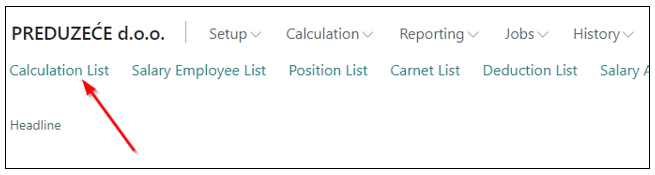
To open a new Calculation for payroll, simply click on the Calculation List option.
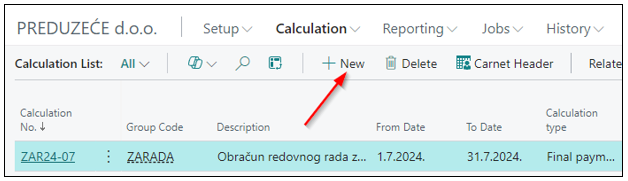
By clicking on the New option, a new Calculation is created.
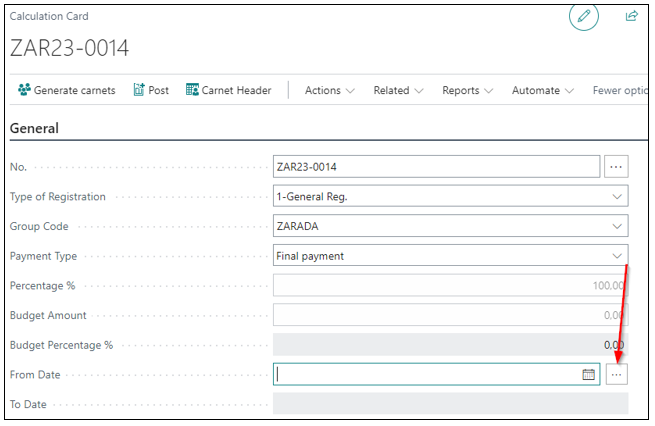
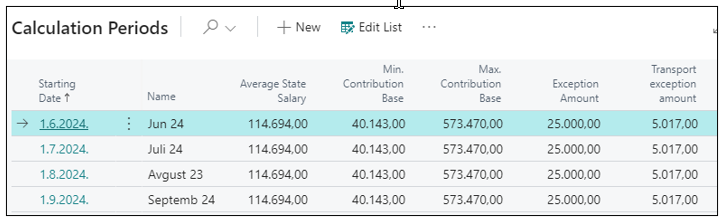
Tab General – is the header of the calculation where the date is selected by clicking on three dots, thereby pulling data created in the calculation period. The user creates it every January 1st, once a year.
Tab Calculation - shows calculations that have not yet been posted for the calculation period entered in the calculation header. It shows all open calculations in the current month with statuses Preparation, Calculation, and Confirmed.

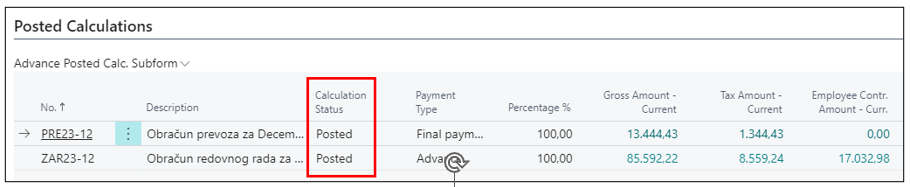
When salaries are posted, they transition to the Posted status. By entering Posted calculations in the search, you will get a list of posted calculations.
Tab Posted Calculations - shows all calculations that have been posted for the calculation period entered in the calculation header. When the calculation is posted, we will get rows with the status Posted.
Tab Structures - is defined individually for each calculation, determining whether deductions will be calculated and at what percentage, and whether personal contributions, past labor, and tax reductions are taken into account in the calculation or not.

Need more help?