Deductions
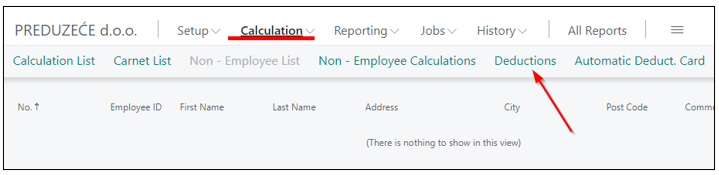
Deductions from salaries serve to withhold a portion of an employee's earnings for specific purposes mandated by law. These deductions ensure that necessary payments are made directly from the employee's earnings, simplifying financial obligations and compliance with legal requirements. The entry and update of deductions are enabled through the menu Calculation -> Deductions.
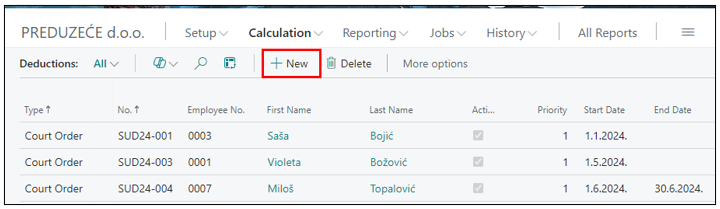
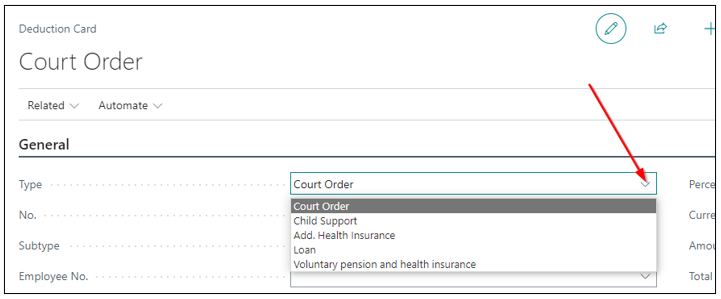
You will get a list of deductions by clicking on New, which opens a new deduction form for further data entry. It is mandatory to specify the type of deduction from the dropdown list, as shown in the image:
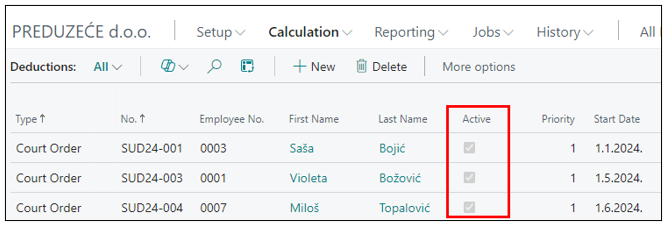
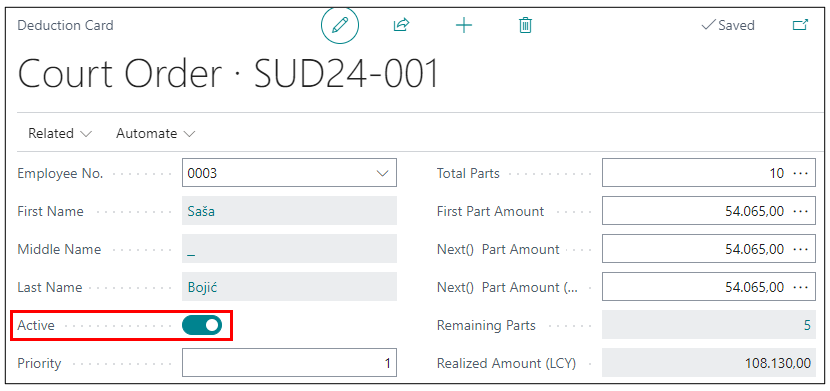
If the deduction is active and should be considered in the next payroll calculation, the Active field must be checked. This field is visible both on the deduction page and in the deduction list.
The Priority field is always assigned the number 1 when creating deductions. This indicates the highest or first priority. If the employee has multiple deductions, the system will determine priorities based on the entered deductions. The priority can be changed.
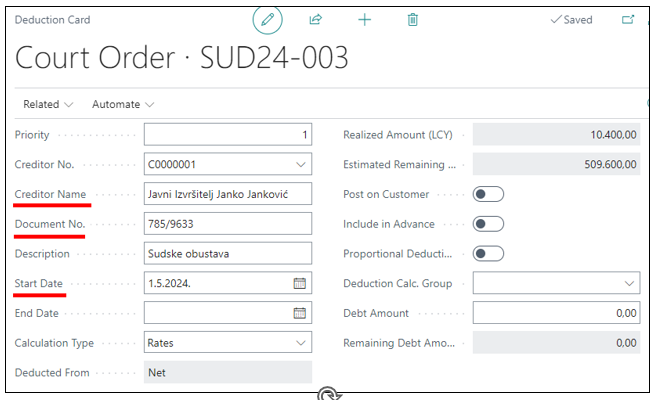
The creditor is created on the vendor card and receives funds according to the deduction order. Please enter the deduction document number and start date; the end date is filled for Percentage, periodic amount, and amount calculations.
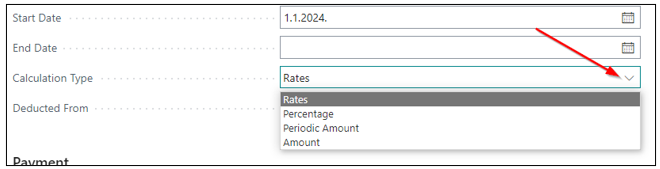
Enter the calculation type (Rate, Percentage, Periodic Amount, Amount). Percentage can be calculated from gross or net, amount can be in local or foreign currency, while rate implies a fixed deduction amount.
Need more help?