Payroll Module
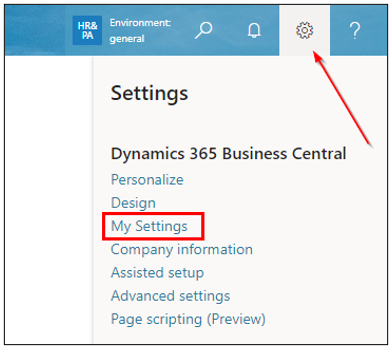
To allow a user who utilizes BC for payroll to access the home screen with actions and paths tailored for payroll tasks, they must first set up their role in BC. Role setup is done via the gear icon in the top right corner of the screen, as shown in the image.
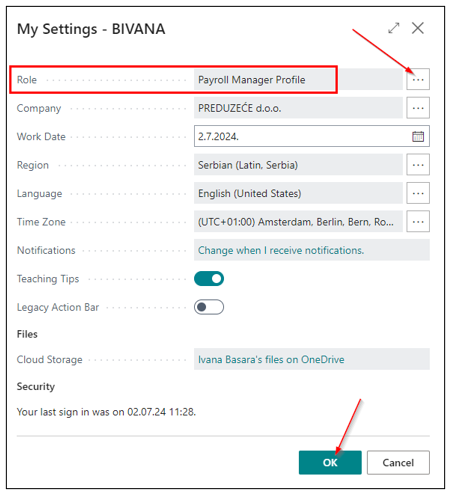
In the role field, select Payroll Manager Profile.
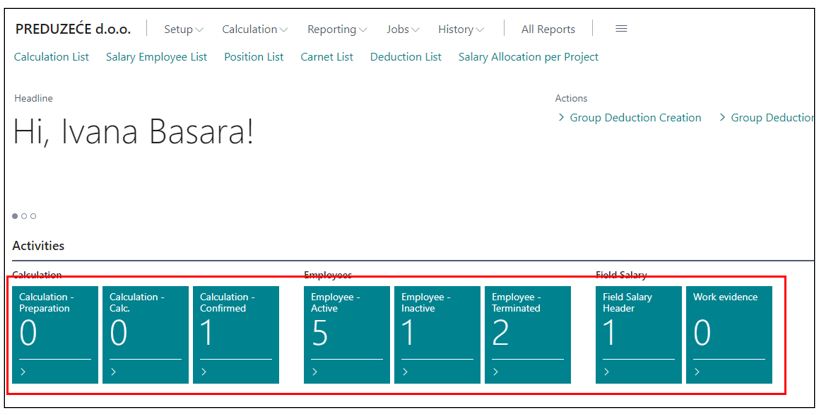
After selecting the role, you will receive a different home screen tailored to the chosen Payroll Manager Profile role. The home page consists of an Activities section, which includes filtered payroll processes by status (preparation, calculation, confirmed), employees (active, inactive) and work records.
Need more help?