Cost Posting
- Begin by conducting a search for "Purchase Invoice." Within the package, you will find two purchase invoices. One invoice corresponds to the expenses incurred (from vendor NPS) for electricity and other associated costs, while the other invoice is related to the materials utilized in product manufacturing. Both invoices need to be posted in the accounting system. In this manner, we have logged the expenses in the General Ledger and acquired the materials intended for consumption during product production.
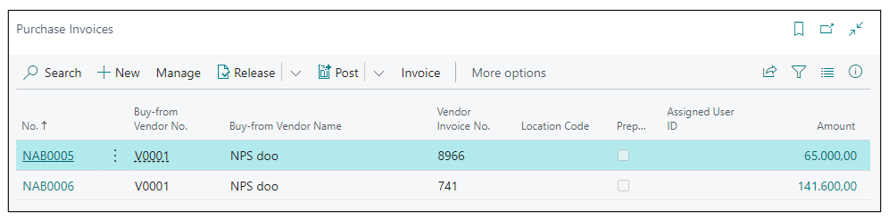
-
Navigate to the search bar and enter General Journal. In this page General Journal, you will be required to post the salary cost and depreciation that have been previously entered. After posting journal entry you will receive expenses in the general ledger, related to the capacity costs and work centers.
-
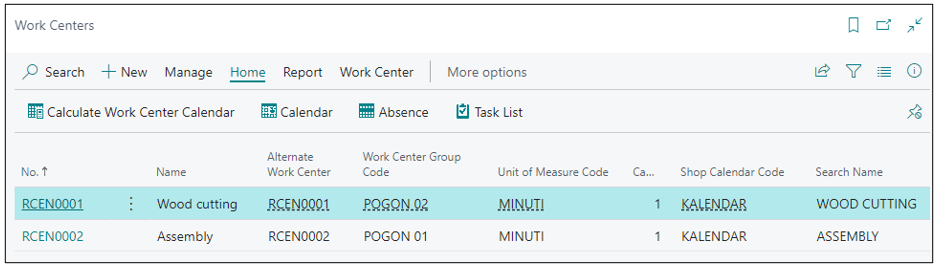
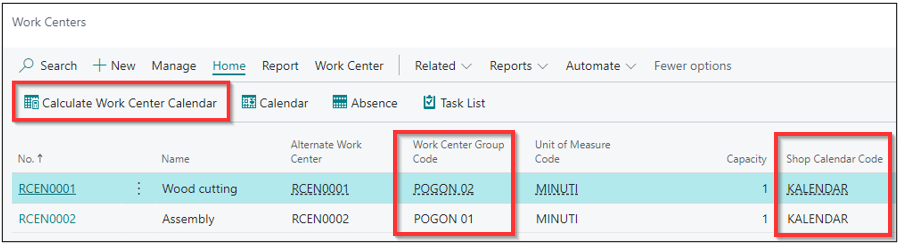
Work centers have been created within the package. They are set up for product manufacturing, as per our example from the package, as shown in the image below.
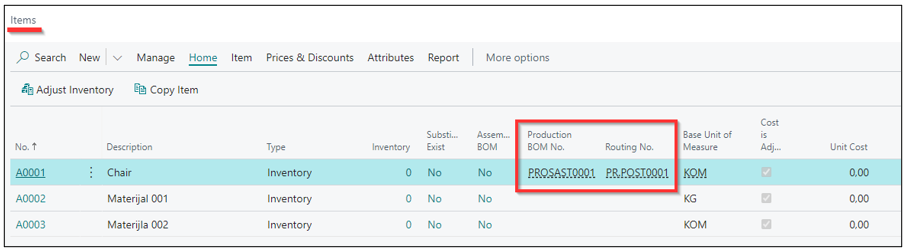
- Navigate to the search bar and enter Items. In that page, there is a product along with two materials used for its production. The product is accompanied by Production (BOM) and by Routing, as shown in the image below.
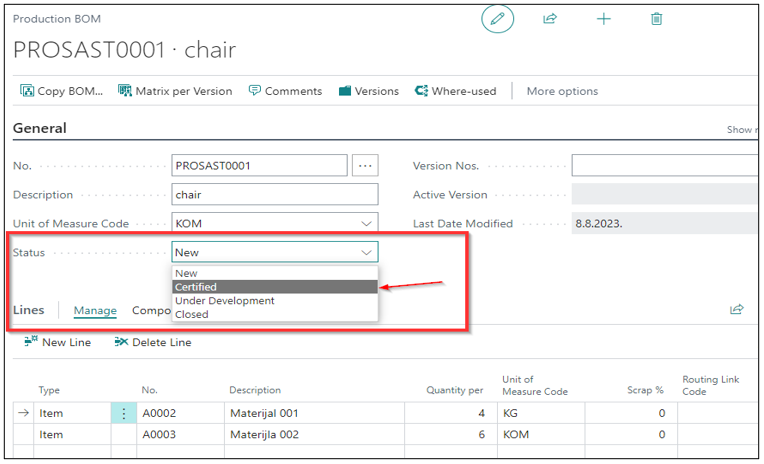
Production BOM – status must be changed to Certified.
Routing – status must be changed to Certified.
When the status is set to NEW, the use of Production BOM and Routing is not possible.
You need to initiate the action Calculate Work Center Calendar at the work center.
The work center calendar calculation is a standard action that you can initiate from the work center page. To execute the calculation, it is essential to create a calendar in the Shop Calendars.
Calendar - Shows the sum of the available time for all work and machine centers that are assigned to each work center group. You can view the information by day, week, month, quarter, year, or fiscal period by selecting the appropriate matrix option prior to selecting Show Matrix. You can also view the capacity by any capacity units of measure that you've defined.
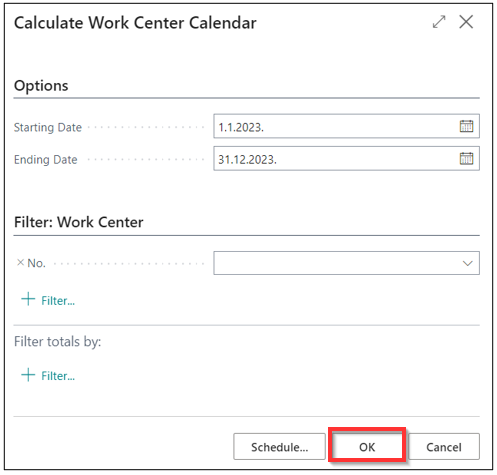
When you confirm OK, the calendar initialization process is completed.
Need more help?